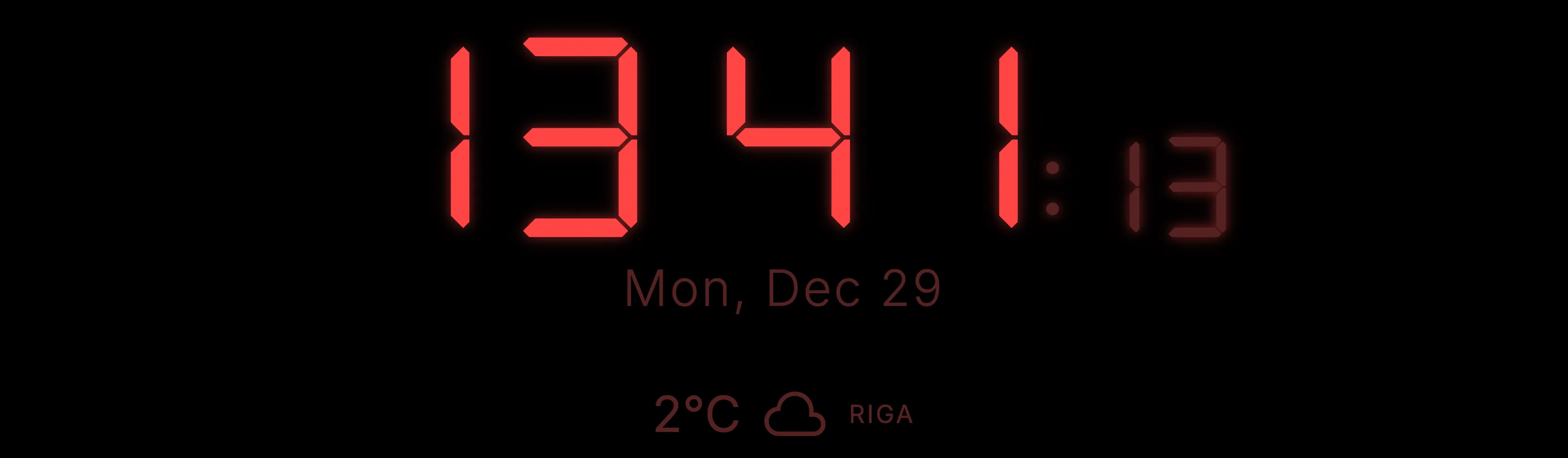
It started simply enough. I have an LG OLED TV that I wanted to use for more than just streaming. Whether in my home office or the living room, I wanted a clean, elegant clock. Not a screensaver, not a YouTube fireplace with a clock video - just a proper, functional clock that respects the display, shows the time, and provides live weather updates. The LG Content Store had nothing that fit the bill. So I built one.
Night Watch is a web app for LG webOS TVs. It displays the time in digital mode with a retro DSEG7 segment font or in analog mode, shows live weather, includes alarm and timer functionality, and - critically - protects the OLED panel from burn-in. It is built entirely in vanilla HTML, CSS, and JavaScript. No frameworks. No build tools, at least not originally.
And the nice surprise was that this was clearly not just my own niche annoyance. Once the app was live, it picked up quickly. The download report I have up to March 21 shows 38,918 downloads across 45 days, with the strongest numbers coming from the U.S.A. (3,863) and India (3,410), and a steady daily pace that was still around 254 downloads on March 21. It is one of those cases where you solve your own pain and discover that plenty of other people were quietly feeling the same one.
The Name
At first I wanted to call the app Night Clock. The problem was simple: that name was already taken.
So the current name, Night Watch, is not my clumsy translation attempt. It is a deliberate reference to Terry Pratchett’s Night Watch - one of my favorite books - and, of course, to Rembrandt too.
That felt right for the app. This clock is meant for people who are, in one way or another, on watch: working late, keeping an eye on the room, leaving the TV on as a quiet office companion, or just needing the time and weather to stay visible without demanding attention. It should be dim, unobtrusive, and reliable. It should do its job and not go dark.
Version Control: The Folder Era
Before git entered my workflow, version control looked like this:
night_clock 00/
night_clock 01/
night_clock 02/
night_clock 03/
night_clock 04/
night_clock 05/
night_clock 06/
night_clock 07/
Eight numbered folders, each representing a snapshot of the entire project. Need to go back? Copy the folder. Need to branch? Copy the folder and add a suffix. It sounds primitive, but for a solo project with a single HTML file, a CSS file, and a JS file - it worked. The project started at version 1.0.0 in folder 00 and evolved to 1.1.7 by folder 07.
The vendor in appinfo.json started as Antigravity in v1.0.0 and changed to Zinchuk somewhere along the way - probably around the time I started taking the LG Content Store submission seriously.
When the v2 rewrite began, the naming convention evolved too:
night_clock_2-01_claude/
night_clock_2-02_claude/
night_clock_2-02_claude_copy/
night_clock_2-03_claude/
night_clock_2-04_claude/
night_clock_claude_2-05_claude/
night_clock_claude/
Eventually, I adopted git. Three commits in the repository now tell the story more cleanly than dozens of folders ever could.
The Hardest Problem: Don’t Fall Asleep
The single hardest technical challenge in this entire project had nothing to do with clocks, weather APIs, or UI design. It was keeping the TV awake.
LG webOS TVs are aggressive about power saving. After a period of inactivity - no video playback, no user input - the TV will dim the screen, show a screensaver, or turn itself off. For a clock app that is supposed to stay useful in an office or living room, this is a dealbreaker.
What Actually Works
The solution that finally worked uses the canvas.captureStream() API:
const ctx = wakeCanvas.getContext('2d');
let frame = 0;
const renderLoop = () => {
  ctx.fillStyle = frame % 2 === 0 ? '#000000' : '#000001';
  ctx.fillRect(0, 0, 1, 1);
  frame++;
  requestAnimationFrame(renderLoop);
};

const stream = wakeCanvas.captureStream(1);
video.srcObject = stream;
video.play();
The TV sees an active video stream playing and assumes real content is being consumed. The screen stays on, the TV stays awake, and the clock keeps ticking.
The Massive Cleanup: From 12MB to 81KB
The first versions accepted into the LG Content Store were surprisingly heavy - roughly 12MB. While the app worked, it was carrying a lot of unnecessary weight, mostly because I had accidentally included node_modules and development dependencies in the final package.
The latest update changed that. By properly configuring .aresignore and cleaning the package, the app dropped to a lean 81KB.
The cleanup involved:
- stripping dead code from the folder era,
- making sure only production-ready icons and fonts were included,
- replacing heavier weather-related dependencies with the lightweight Open-Meteo setup.
15 Languages, Zero Russian
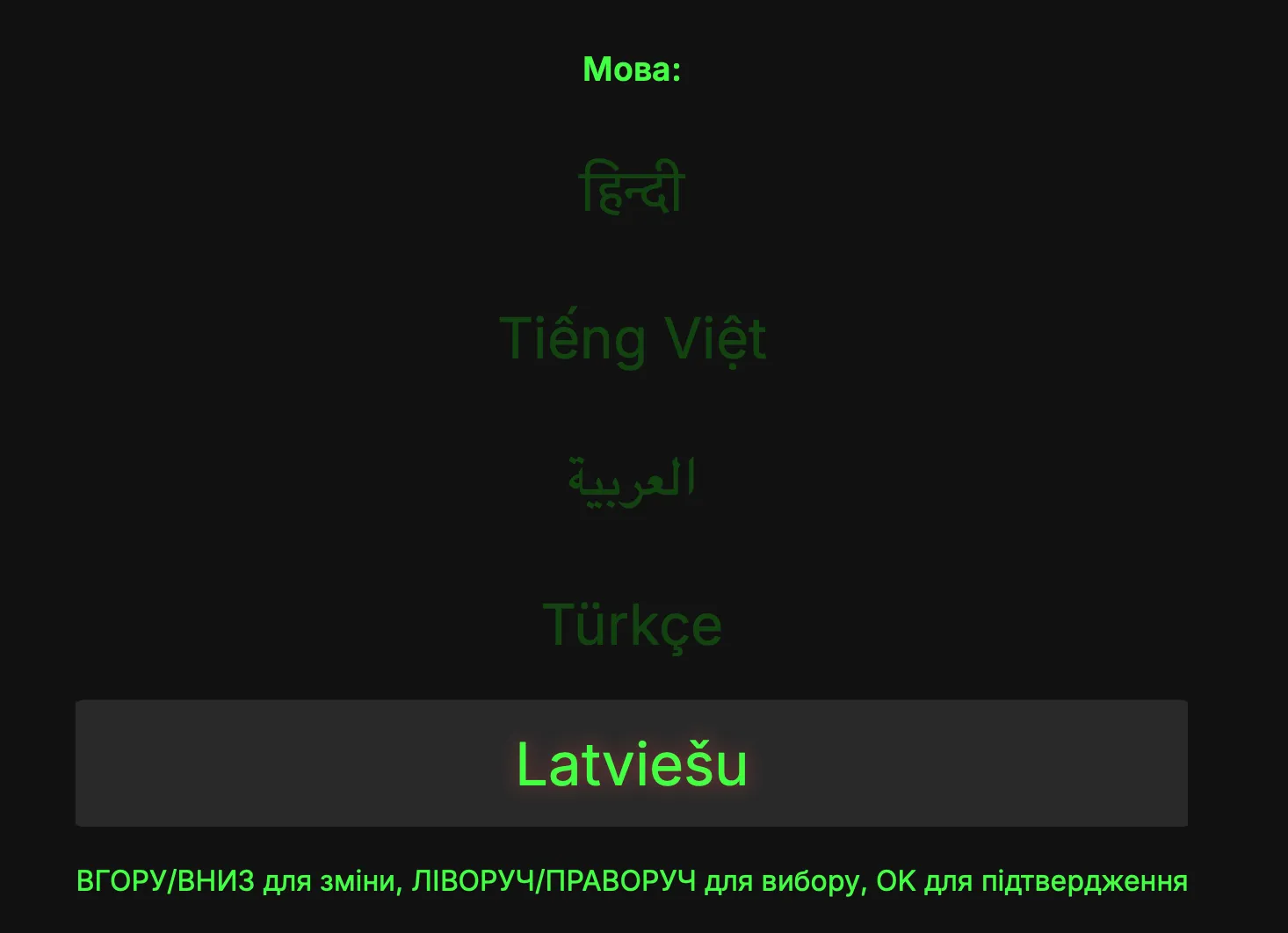
The app now supports 15 languages, including English, Ukrainian, Spanish, Arabic with full RTL support, and more. However, you will not find Russian on the list.
During the initial LG Content Store submission, I received a QA report with a very specific P1 defect. The message said that because of a Russian language requirement coming into force in March 2026, the app description should be translated into Russian if the app remained available in Russia.
My answer was simple: instead of adding the translation, I removed Russia and Belarus from the list of countries where the app is available.
As a Ukrainian developer, I refuse to be part of that ecosystem or comply with its legislation. The app passed review immediately after the country list was adjusted. The app supports Ukrainian as a first-class language, but it will never become a localized product for an aggressor state.
What I Learned
- TV platforms are just web platforms with sharp edges.
- Size matters.
- Naming matters more than it seems.
- Sometimes being a developer means making choices that go beyond code.
- If you solve a problem you genuinely have yourself, there is a decent chance other people have been waiting for the same thing.
Night Watch is available on the LG Content Store for webOS TVs. Lean, functional, OLED-friendly, and built to stay quietly useful.