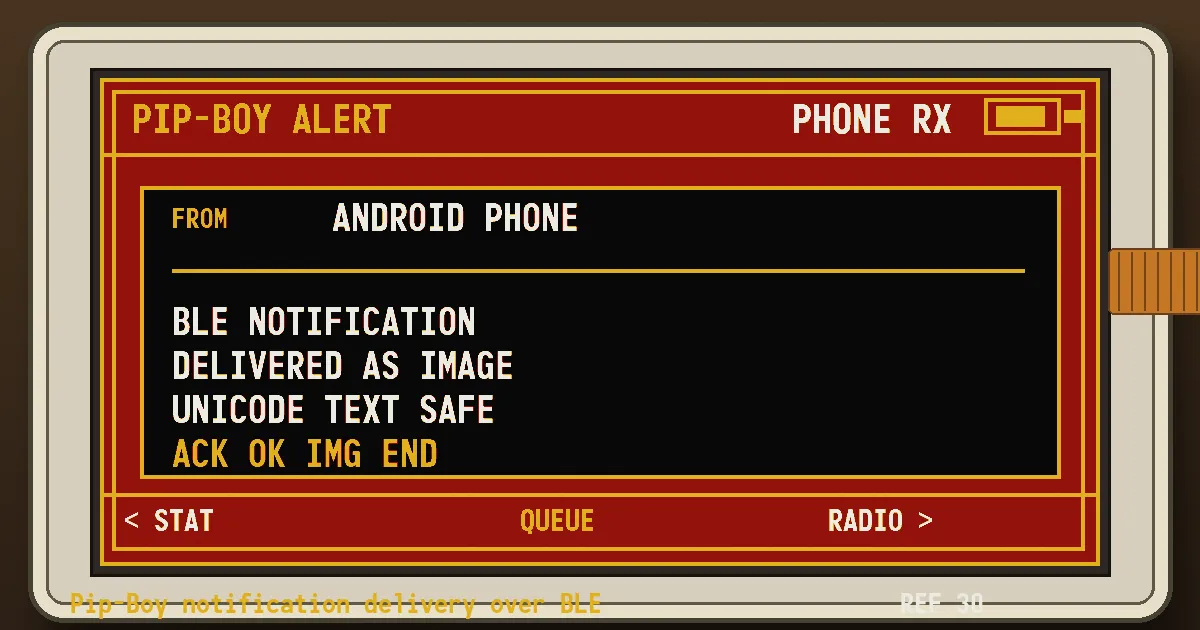
The Pip-Boy clock has crossed a small but very satisfying line: it can now receive phone notifications.
Not just plain ASCII text. Not a hand-typed message through a Bluetooth debugging tool. Actual Android notifications, rendered on the phone as a tiny four-color image and delivered to the e-ink screen over BLE.
This is the next step after the first working Pip-Boy clock prototype and the later phone-based Web Bluetooth time sync. First the screen became a clock, then the phone could set its time, and now the phone can send the little machine something worth displaying.
This matters because the display is not a normal screen. It is a 2.13-inch quad-color ePaper panel with black, white, red, and yellow. It is slow, stubborn, and wonderful. It also does not have a font stack that can casually handle every character my phone might send. Cyrillic, extended Latin, emoji, punctuation - all of that gets messy fast if the microcontroller has to render text directly.
So I changed the problem.
Instead of sending text and asking the Pip-Boy to draw it, the Android app now renders the notification into a 250x122 bitmap first. The firmware receives that bitmap as packed two-bit pixels and paints it directly to the ePaper panel.
The phone does the typography. The Pip-Boy does the display.
That turned out to be a much better split.
It also fits the broader ePaper direction I have been poking at with the TRMNL screen playground: let the screen keep its physical, slow-refresh character, but move the fiddly rendering decisions to the place that can handle them cleanly.
The Bluetooth side needed some care too. At first I tried pushing the whole image as fast as Android would write it. Technically the writes succeeded, but the nRF52840 did what tiny embedded devices often do when you get too optimistic: it quietly failed to keep up.
The fix was an old-fashioned little protocol:
- Android sends
IMG:BEGIN. - The Pip-Boy replies
OK IMG BEGIN. - Android sends one
IMG:DATAchunk. - The Pip-Boy replies
OK IMG DATA. - Repeat until the frame is complete.
- Android sends
IMG:END. - The Pip-Boy verifies the size and checksum, then replies
OK IMG END.
It is not glamorous. It is exactly the kind of boring reliability that makes hardware projects feel real.
BLE is also not left on all the time. The device opens a short Bluetooth window on startup, on clock refresh, or when I press KEY2. The Android app keeps the latest notification queued, scans for the Pip-Boy during those windows, connects automatically, sends the image, and then the firmware disconnects after a short idle timeout.
That gives me a nice compromise:
- the device is not constantly advertising
- the phone does not need
nRF Connect - Unicode text survives because it becomes pixels first
- the e-ink screen still keeps its retro, physical rhythm
The best part is how boring the successful test looked in the logs:
Found Pip-Boy UART advertisement
Auto-connecting to Pip-Boy
OK IMG END
And then, a few seconds later, the tiny red-and-yellow screen showed the notification.
That is the whole appeal of this project for me. It is a strange little machine made from modern parts, slow display physics, a phone app, Bluetooth packets, and a design language borrowed from an imaginary post-apocalyptic computer.
It is still not finished. The case is not final, the power story can improve, and the notification layout will probably get more personality. But now the Pip-Boy is no longer only a clock.
It can listen.
For the longer trail: this started as a quad-color Pip-Boy clock build, grew a small browser-based BLE sync page, and has now turned into a tiny notification receiver.